
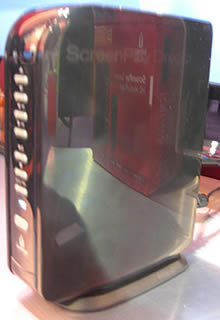
The new Iomega Screenplay Director HD media player is an internet TV and home network set top box that offers HD online movies, YouTube & web TV, and access to media stored on devices on your home network.
The device replaces the old Screenplay TV link which came out in 2008. I got a hands-on look at the new media box while at CES 2010 and it certainly delivers on what it promises with a very reasonable price tag.
You can watch HD movies purchased or rented from Cinema Now, an online movie rental service similar to iTunes and Amazon Video-on-Demand.
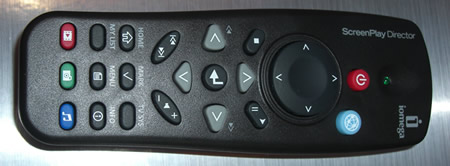
Other online content includes YouTube, Flickr, Internet radio, RSS feeds, or podcasts, all accessible through the easy-to-use user interface and remote. Check out the GUI in the video below:
It also comes with a healthy 1TB internal drive and uou can also hook up additional storage via the 3 USB ports.
Home Network Media
The HD Media Player also gives you access to videos and media on your home network in a wide variety formats.
It can connect via Ethernet or Wi-Fi and has DLNA support making watching videos across your home network relatively seamless.
Unfortunately for WI-FI wireless access you’ll need to purchase the Iomega 802.11n Wireless Adapter separately or one of the following supported USB Wi-Fi devices which can be hard to get hold of:
- Trendnet TEW424UB (USB)
- Edimax EW-7316UG (11g USB)
- Encore ENUWI-G (USB dongle)
You could try your luck with another USB Wi-Fi device but quite often they’ve been reported not to work.
Wi-Fi networks tend be a bit sluggish for copying large files and playing HD anyway so you may want to look into a home plug adapter or CoAX adapter to extend your internet connection. These are usually offer a faster and more reliable connection compared to Wi-Fi, but are more expensive.
Full Specs
 Media Formats
- Audio Formats – MP3, AC3 (Dolby® Digital Encoding), WAV, OGG, WMA
- Video Formats – MPEG-1, MPEG-2 (AVI/VOB), MPEG-4 (AVI/DivX®/XViD), H.264, WMV, AVCHD
- Photo Formats – JPEG, BMP, GIF, PNG and TIFF
- File Types – .mkv, .avi, .asf, .iso, .vob, .mp4, .mov, .wmv, .flv, .ifo
- PAL/NTSC – Full 1080p high definition (24 fps)
- AV Connections – HDMI, Composite video and audio R/L; Component video: Y, Pb, Pr, optical audio
- Hard drive format: NTFS (default), FAT32
Interfaces
- 1 x RCA Component Video Out – Rear
- 1 x Composite Video Out – Rear
- 1 x Stereo Audio Line Out – Rear
- 1 x HDMI Digital Audio/Video Out – Rear
- 1 x RJ-45 Network – Rear
- 3 x USB – Rear
- 1 x Toslink S/PDIF Out – Rear
- EthernetWireless
- IEEE 802.11b/g/n
- DLNA support
Other
- Versatile Supports many CODECs and file types including H.264 so you can enjoy your entire media collection
- Access online content on internet sites such as YouTube, Flickr, Internet radio, RSS feeds, or podcastsLarge capacity
- Save up to 1500 hours of video, 4,000,000 photos,or 18,500 hours of music on the 1 TB drive
- DivX Home Theatre Certified Includes Iomega Protection Suite anti-virus and backup software solutions
Pros
- Full HD support
- Supports lots of file formats
- 1TB storage included
- Rent movies online and YouTube access
Cons
- Needs separate adapter for Wi-Fi support
- Would like to see more online TV and internet features
Bottom Line
Retailing at $250 the Iomega Screenplay Director HD (model number 34650) is a healthy price when you consider the 1TB storage included (an external Iomega 1TB hard drive is typically $100 or more).
With full HD support, ability to watch videos on the home network, and online TV, movie rentals and internet functions it has a good amount to offer. Lack of built-in Wi-Fi is a real shame though.
Iomega Screenplay Director HD Marketplace – Deals & Discounts
On Amazon:
Buy it on Amazon.
On eBay:
 |
US $119.98 |


 |
US $219.65 |
 |
US $203.38 |
Also See
- The Monsoon Volcano which offers internet TV, placeshifting, home network media playing and more.
- More Internet TV Set Top Boxes
- Homeplug Ethernet Adapters on eBay

The ZeeVee ZvBox allows you to watch streaming online content from your computer on your home HDTV with a remote control.
What the ZeeVee System is All About
ZeeVee ZvBox allows you to stream any HD content from your computer to your HDTVs. It’s a clever system in which the computer broadcasts into the television via an unused cable channel.
Once running, you can basically sit on your couch and use the ZeeVee remote to view online content from your PC. Various sources of ZeeVee ZvBox content from your computer can include:
- Streaming television content from major networks, most in HD (e.g. shows from ABC online like ‘Lost’)
- Movie download services, like NetFlix and iTunes
- The computer’s DVD player, that can be controlled by the remote with any of your HDTVs
- Content from YouTube and BitTorrent peer-to-peer sites
- etc.
Using the ZeeVee System
Using the remote control with the system, surfing the web becomes a lot easier. The ZvBox gives you access to watching any number of online TV shows and films, stream music with iTunes, browse the web or even check your email. Being able to do this from your HDTV is a convenient novelty.

Setup seems pretty straight-forward: Your computer basically just needs to be hooked up to your existing in-home TV cable wiring, and doesn’t interfere with regular cable-based broadband services.
Video Review of the ZeeVee ZvBox
Online Reviews of the ZeeVee ZvBox
The reviews I read were more or less favorable to this system. PC Magazine praised the device’s ability to display high-definition video from PCs to TVs throughout your house, with no limitations or monthly fees, but they also ripped into the expensive of the system and the complex setup required, as well as the fact that the system isn’t compatable with Mac and Linux.
Reviews from CNET said mostly the same thing, that the system is good in that you can watch web or tv-based video around the house on multiple TVs, but also noted the expensive price as well as it’s setup complexity.
Specs
- USB: USB V2, full speed and high speed, Type B connector
- VGA1: High-density 15-pin male DSUB
- VGA2: High-density 15-pin male DSUB
- Cable: F-type female cable TV
- Compatible TVs: HDTV with digital cable ready tuner
- Compatible Computers: Fully tested and qualified for the PC. Mac not supported at this time
- Audio: PCM and Dolby Digital 5.1 Surround Sound over USB
- Video Input: VGA (or DVI-A connectors with VGA adaptor)
- Video Output: Up to full HD (1080i)
- Localcasting: RF modulation
- Encoding: MPEG-2
- Operating System: Microsoft Windows XP with Service Pack 2; Microsoft Windows Vista
- Processor: 2 Ghz CPU
- Memory: 2 GB DRAM
- Disk space: 50 MB
- USB: Two free USB 1.0 or 2.0, high-speed or full speed ports
ZeeVee ZvBox – Prices, Deals and Discounts
On Amazon:
Available to buy at Amazon
On eBay:
 |
US $1,298.00 |
 |
US $999.01 |
You Might Also Be Interested In
]]>
Like many people I’ve been waiting a long time for a decent PC-on-TV solution that allows you to view and control your PC when sitting in front of your TV. The Icron ExtremeLink PC-on-TV does just that and it actually works extremely well, unlike other products on the market.
Icron’s forte is its wireless USB technology and it has integrated this technology into its ExtremeLink PC-on-TV solution.
The system consists of two boxes, one which hooks up to your PC, and one which hooks up to your TV via HDMI, with some USB connections. You can literally hook up any USB device from a mouse to control the cursor, a webcam, a printer or whatever, and it will work just like you’ve plugged it directly into your PC.
You’re oblivious PC will be none-the-wiser it is being controlled from your living room!
Not a Media Extender like AppleTV
Unlike something like the AppleTV or PopBox it’s not a set top box that allows you to access some media on your PC via a graphical interface – you literally have full access to your PC from your HDTV as if you were using your PC directly.

As far as I can tell this has created the first PC-on-TV box that actually gives you complete seamless control of your PC from another room using a TV set. I had the opportunity to try it out and it was a seamless experience with little or no noticeable lag.
Other boxes have attempted this like the PC2TV 2020, but they are typically a little rough around the edges and have lag when trying to use a mouse cursor.

The ExtremeLink system can deliver via USB 2.0, Cat 5 cable or wirelessly up to 100m. If wireless is not quite up to speed then you may want to consider using an Ethernet Coax adapter to ensure a super fast connection between your PC and living room.
ExtremeLink Specs:
- HDMI & Component Outputs
- DVI PC Input
- S/PDIF & Analog (RCA) audio at TV
- USB or S/PDIF audio from PC
- 4 USB 2.0 extenders
- Input resolution at PC up to 1680 x 1050
- Output resolution at TV 180p/1080i
- 802.11n at 5GHz
- Support for Windows 7, Vista, XP, MAC & Lunix
Pricing & Availability
Unfortunately the product is not available to buy yet and Icron is looking for a commercial partner which will take on the technology and sell the box under their own brand to a wider market.
A retail price of $299 is expected.
Also See
]]>
Zagg has made a big jump into the home convergence & placeshifting set top box market, from their typical line-up of cell phone screen protectors. Enter the ZaGGbox…
The device acts as a central hub for your various home TV devices (Xbox, Blu-ray player, PS3, DVR, cable box etc.), a way to watch media from devices on your home network as well as a Slingbox style placeshifter.
Universal Remote

A neat feature of the Zaggbox, which is largely absent from other media streaming hubs, is the fact it has a truly universal remote.
You can control any device hooked up to the device with the remote (pictured below) or with the iPhone/iPod touch app. Remote control apps for other smart-phones are also due to be released.

I got to check out the Zaggbox at this year’s CES and it does have an easy-to-use onscreen interface. So using the universal remote to manage your integrated home media equipment from one convenient control is pretty easy.
Record from any Device
You can record from any device that is hooked up to the Zaggbox too onto its internal 1TB drive. This gives it basic DVR functionality as well as creating an easy way to record of gaming consoles or any other set top box.
When recording the ZAGGbox automatically reads and transcodes any video codec into two formats at one time; one for television viewing and a separate version optimized for the Apple iPhone/iPod family.
It’s video compression ability makes for high quality placeshifting if you want to view your home TV content on a computer or iPhone with an internet connection.

Stream Within & Beyond the Home
Media stored on the ZAGGbox can be broadcast within the home or beyond the home (like the Slingbox) via a browser or cell phone client.
The media content streams through UPnP, Video Podcasting, or a built-in web server. You can also share media with friends but the Zaggbox will screen the videos your share for copyright and may restrict what you can share.
In addition, the ZAGGbox has the ability to aggregate the video from compatible security cameras, which can be viewed on a live stream with a mobile Internet device. It makes sense that the Zaggbox could also be used as a live broadcaster – aka slingcatcher.
Being internet enabled it would have been a sweet bonus to have access to online video, but that could be cheaply achieved with a PopBox.
Home Automation
The ZAGGbox allows for home automation. Utilizing the Z-Wave system, it will be compatible with security systems, HVAC systems, door locks, or lighting. This feature set will be available shortly after launch.
Feature Overview
- True Universal Remote
- 3 HD inputs & 2 SD inputs
- 1TB internal hard drive.
- 4 USB ports for expandable storage
- UPnP and DLNA support
- iPhone/Ipod remote control Apps
- Stream media from devices on home network
- Watch home recordings on any internet/3G/wi-fi connected iPhone or computer
- Home automation functions.
Zaggbox Specs
- Hard Disk – 1Terabyte
- Network – 100 Base-T
- Wireless – 802.11b/g/n; Ad-Hoc Open with WEP or Infrastructure Open with WEP, WPA-PSK with TKIP or AES
- Connectivity – SMB (Microsoft Windows share) or UPnP
- HDMi Output – v1.1
- Audio ADC – MP3, AAC, M4A
- Video Decoder – MPEG1, MPEG2, MPEG4.2, WMV9, VC-1, MPEG4.10(H.264)/AVC, DivX®, Xvid
- HD Encoder – 10X compression for HD .mov files; 50X-100X compression for iPhone platform
- Inputs – 3 component, 2 composite video/S-Video, 5 USB 2.0, 8-1 Multi ready (SD, Xd, MMC) SD card reader. No HDMI Inputs?
- Parental Controls – USA TV/Movie, Canadian English/French rating levels, user-defined ratings, channel block, front panel control lock
- Closed captioning – Analog and digital closed captions with customizable colors, fonts, and backgrounds. Single-button CC on/off.
Pros
- True universal remote
- Plenty of inputs
- Aggregate home network onto the TV set
- Works great with iPhone
- Healthy 1TB internal hard drive & USB ports for more
- Access home media from anywhere
Cons
- Pricey
- No access to online TV channels
- Small monthly subscription fee
- No HDMI inputs
The Bottom Line
Priced at a whopping $999 (with a $799 pre-order option) this is an expensive device. If you have a bunch of black TV gadget boxes in your front room then this is a great device to bring them all together and make them accessible from one remote and allow online access. As a home media convergence device it does the job well, but still costly.
However, I can’t understand why there are no HDMI inputs. If you want to access all your home media devices via the Zaggbox interface then some of those will connect via HDMI, but you would have to settle for an SD composite connection unless they can stream over the home network.
Zagg did also mention a small monthly subscription fee (about $5/mo) which appears to be for the ability to stream your media beyond the home.
It is available for pre-order from the Zagg website, and any eBay deals will appear below when available:
No eBay items currently available.
Also See:
- The Monsoon Volcano – Another home convergence device (which is cheaper)
- More internet TV set top boxes on WebTVWire
- HDMI cables on eBay

The XstreamHD service has been in the works for a few years and is finally due for public release later this year. It essentially offers DVR functionality, on-demand video and sharing of video across your home network.
When you buy an XstreamHD you would get a HD Media Server unit which will store your video content on a hard drive, and a HD Media receiver which hooks up to your TV.
A remote control would also be provided to use the XstreamHD interface on your TV. As you can see from the pics below the GUI looks well designed and intuitive.

[Image Source: Sound & Vision]
Main Features
Video on demand will be delivered via satellite which seems odd given the move by most Set Top Boxes to IPTV based services. Video will be available in full 1080p HD and audio will be DTS-HD.
The device will also have 3 tuners allowing record and watch up to 3 ATSC over the air (OTA) channels with typical DVR functions.
DLNA capable devices will also be able pull video from the HD Media Server, but from what I gather if you had a DLNA TV you’d still probably want to hook it up to the Media Receiver to get the XstreamHD user interface.
You will also be able to manage media on your home network including videos, images and music.
XStreamHD’s Sales Pitch:
XStreamHD Invites You to Join the HD Revolution
XStreamHD invites you to enjoy a revolutionary in-home digital entertainment experience. Step up to unparalleled HD entertainment living with
XStreamHD’s whole home entertainment solution. Enjoy Full HD (1080p) video and up to 7.1 channels of lossless DTS-HD Master Audio™ content – including movies, music and games – at the highest level of quality that today’s advanced digital consumer electronics and home theaters were designed to support.
How XStreamHD Works – No-Hassle HD
Using a small outdoor satellite antennae, your XStreamHD system collects multiple streams of studio master quality HD entertainment at lightening fast speed. The content is streamed directly into one sophisticated XStreamHD Media Server in your home that collects, stores and organizes your pre-fetched movies, music and games in your Virtual Personal Library.
The HD Server is loaded with up to 4TB of removable internal storage, and additional access to external storage via an eSATA connection. Further, the XStreamHD Media Server includes a built-in Network Video Recorder that uses three HDTV (ATSC) tuners to capture all of your favorite off-air HDTV programs from start-to-finish – regardless of schedule changes – thanks to a unique patent-pending Adaptive Recording feature.
XStreamHD Whole Home Entertainment Solution
As a whole home solution, the XStreamHD Media Server can deliver multiple streams of content throughout your home to any television equipped with a compact XStreamHD Media Receiver or any DLNA Certified™ device – from computers, to next-generation televisions and game consoles.
With every XStreamHD Media Receiver you get an ergonomic, state-of-the-art XStreamHD RF One Remote Control that requires no line-of-site and integrates with most home A/V equipment. Additionally, XStreamHD has just released an audiophile-class PRO Media Receiver that permits you to leverage your
elite audio equipment that supports analog inputs to decode and output the latest generation of HD studio master quality audio and video.
Pre-Fetched Entertainment – Immediate Access to Studio Master Quality HD
Only XStreamHD provides you with Pre-Fetched Entertainment (PFE). PFE automatically delivers just-released HD movies, music and electronic games
directly to your Virtual Personal Library.
Leap forward to a world in which you can enjoy immediate access to the highest quality content sent directly to your home, without the wait times and hassles associated with in-store shopping, mail order programs, and slow Internet content downloads. Never be denied any of the latest titles.
XStreamHD Calling – FREE In-Network Calling
XStreamHD also provides you with a Business Class Phone Upgrade. Enjoy XStreamHD Calling – FREE in-network calling between XStreamHD customers.
Plus, you can add multiple extensions to your existing phone lines and gain additional VoIP advanced phone features including interactive voice response (IVR) and access to voicemail through your computer or television.
XStreamHD Interoperability – Easy Installation, Easy Integration
XStreamHD is a simple-to-install solution and operates with many existing home electronic components. XStreamHD integrates with DLNA Certified™ devices that include advanced flat-screen televisions, Blu-ray players, computers and game consoles.
The system promises to deliver unmatched quality, convenience and value to everyone who chooses to improve their in-home entertainment standard of living!
Price & Availability
The introductory model will contain a modest 500GB drive in the Xstream Media Server and come with HD Media Receiver for a relatively steep $399. 1TB and 2TB models will cost more.
The XstreamHD will also have an undisclosed monthly service as Dave Zatz pointed out. This will be for service, guide data, and VoIP calling to fellow customers
XStreamHD will soon be taking pre-orders for an expected spring delivery. When the devices are available on eBay live auctions will appear below:
No eBay items currently available.
You May Also Be Interested In:
]]>
ConnecTV is billed as the world’s first social media center for MIPS Android-based embedded platforms. Today it provides an insight into how the digital home may evolve over the next few years as more powerful internet frameworks are rolled out.
Today I got a hands-on preview of the ConnecTV platform produced by Home Jinni. At first it looks like just another GUI for a home media center like you’d see on the AppleTV, Boxee or PopBox. However, after a while you realize this media center software is incredibly powerful and packed with potential.
The platform would be used by any TVs, media centers, cell phones and set top boxes that wanted the technology. There’s also the possibility it would be released as a standalone open-source software for compatible computers reminiscent of Boxee.
Let’s take a hands-on peak…
A Media Center for the Future
Essentially it has the potential to create a set-top-box that has everything. A couple of years ago I dreamed about the DVR of the future, now ConnecTV looks like the platform that could pull it off.
Times are changing though with on-demand web video sneaking into the mainstream, which would make DVR functionality mostly redundant. At least that’s how Shidan Gouran of Home Jinni sees it.
What makes ConnecTV stand out is the speed and seamless integration between devices. It is built for MIPS Android based systems and for use with the faster and more powerful internet framework IMS/4G which looks set to become mainstream over the next 5 years.
Placeshifting, Broadcasting & Home Networked Video
For example, you could flip the video you are watching onto any DLNA device on your home network, or to any other compatible Android device in the world without the need to install additional software. It’s a media extender and placeshifter in one.
The idea is you could literally login from anywhere and move your media between any DLNA devices on your home network.
So imagine you are watching a cool video. Using the social networking feature you could almost instantly stream the video to a friend’s smartphone where it would pop-up right on their screen.
It’s Slingbox and Slingcatcher functionality all in one. Watch your home video collection from anywhere, and send media and video (including live video) to anyone with a compatible device.
Platform Built for Apps
ConnecTV for the most-part is open source allowing anyone to create Apps for the platform.
It is likely that some (probably most) of the manufacturers that would use the platform would decide to lock out third party apps. A cable provider for example would want tight control over what you could do on your media center.
However, it is very likely some forward thinking company would embrace the open source aspect allowing an array of hacks and apps to do almost anything you could imagine with ConnecTV.
Designed for Consumer Electronics
Built from the ground up for Androld, ConnectTV can be embedded directly in all Blu-Ray players, digital TV sets and set-top boxes that support the MIPS Android platform.
Internet TV
- Search and browse for TV content from thousands of websites.
- Stream directly to the TV set without needing a PC or media adaptors.
- Just input what you want to watch and have ConnecTV find it for you across all Internet sources. This can include virtually any online video source the set-top-box manufacturer wants.
- Play media from devices on your home network.
- ConnecTV claims it is the most advanced client for online movie databases and TV meta-data lookup, for example showing a movie synopsis from the IMDB database.
Social Networking
- ConnecTV comes integrated with all popular Soclal Networks including Facebook, Myspace Twitter, Ning, Orkut and all Opensocial sites.
- Social Recommendation Engine, watch what your friends recommend.
DLNA Network
- Discover aggregate and search all media in your home network from DLNA devices.
- Just enter what you are looking for and ConnecTV will look for it on your home network and on the net.
- Seamlessly play media on any DLNA device in the home.
- ConnecTV is a full featured DLNA Controller, Media Player and Media Server
Application Framework
- A rich application framework for unified search discovery and aggregation of content from Internet TV and DLNA media sources.
- Plug-in Container
- A powerful component architecture to extend the ConnecTV Internet TV and DLNA framework.
- Example TV application plug-ins include:
- Non Web TV media sources (1MS/Open IPTV, P2P-Next, etc)
- Network IP Camera Controller/NVR
- Chrome Energy Management / Home Automation
The ConnecTV Low Down – Where it Could Go Wrong
ConnecTV certainly makes a promising media center, but it is a long way of from becoming a reality.
The first hurdle is the uptake of the underlying technology. 4G/IMS internet would need to become more mainstream, and the device hosting the software would need to use a MIPS Android platform.
With Google being such a fan of the Android platform, and with 4G/IMS currently looking like the favorite technology for the next internet framework things do look promising in that respect.
However, the key for ConnecTV is partners that would manufacturer devices which use the media center platform. Right now ConnecTV does not have anyone signed up, but CES is the first time the product has been unveiled.
It should be available to OEM partners by the summer of 2010, at which point we’d hope to see ConnecTV finding some solid partners.
Also See
]]>
A new promising placeshifting device with the potential to become the ultimate all-in-one home TV device is due for launch in March 2010.
The ‘Volcano’ from Monsoon Multimedia (the makers of the HAVA placeshifting line) is WebTVWire’s favorite device from the 2010 Consumer Electronics Show. Quite simply this slimline set top box is packed with a variety of promising features.
It is essentially does all of the following:
- HD placeshifter – Allows you to view 720p high definition streams of your home Cable TV connection and home video library over the internet.
- DVR – Plug in your cable box or other TV source and you have the typical DVR functions of recording and playing TV.
- Internet TV – Right not its YouTube for online video and CinemaNow for paid movies. In the works are many other web TV services including Boxee and Netflix.
- Apps – The device should also allow you to play on Twitter and Facebook as well as do a lot of other stuff like play games and check the weather through third-party apps.
- Live Broadcast - It can even broadcast video from your home live across the internet.
- Home Network Media – Access and share video and media across your home network wired or wirelessly.
Soak up some pics and watch a video of it in action…



An Internet TV Set Top Box
In addition to placeshifting the device also tries to be an internet enabled set top box like the Roku. It can play a variety of content including videos from YouTube and on-demand movies from CinemaNow.
Simply putting YouTube on the TV screen will make a lot of people happy, and makes the PopBox, which lacks YouTube streaming, look a lot less appealing when this slim little box can access the biggest video site on Earth.
Digital Video Recorder
Monsoon describe the DVR feature as being akin to TiVo with a recommendation engine that records your favorite TV for you. The typical DVR features of pausing and rewinding live TV are also present.
It doesn’t come with an internal tuner so you will need to hook it up to your cable box or other TV source. Lacking a tuner will mean that you probably won’t be able to record and play different TV stations at the same time.
The DVR can also be accessed remotely so you can manage your recording schedule.
A Media Extender
It doesn’t end there however! The Volcano can also play videos off local storage media via USB, eSATA and UPnP. It even crosses into media extender territory with support for DLNA meaning it can access DLNA compatible devices on the home network.
It can also stream files over a home network over UPnP, and video streaming in this fashion is also planned.
To be clear you can both access media on other devices and play them, and other devices can access the Volcano and play the media stored on it.
App Crazy
Monsoon is very keen on getting as many apps for the Volcano as possible. Already guaranteed for launch are YouTube and CinemaNow, but also planned is Twitter, Netflix, Facebook, Last.fm, Boxee and many more.
App production is open to third party developers.
A TiVoToGO-esque Function
No it doesn’t stop there either! You can copy videos from an attached set-top-box (say your recorded programs on your DVR) and quickly export them to external media, or the integrated storage that is planned on later models. This is a bit like TiVoToGo.
A Placeshifter
Simply connect to your home theater using the software available ot PC, Max OS X, iPhone, Symbian, or Windows Mobile smartphone.
To stream content over the net it uses a 150kbps uplink speed, as well as H.264 video compression technology developed by Monsoon
A Live Broadcaster – aka SlingCatcher
Also planned for the Volcano is the ability to stream live (or recorded) video from your home across the internet. This is what the SlingCatcher does.
If the Volcano can pull all this off it will be a media extender, Slingbox, SlingCatcher, Internet TV set-top-box & TiVoToGo machine all in-one!
Monsoon looks set to take the place of Slingmedia as the innovative company coming out with ground-breaking disruptive technology. Slingmedia seems to have lost its disruptive passion when it was taken over by Echostar (aka DISH Network).
Volcano Features Overview
- All-in-One video convergence device combines major features of TiVo, Slingbox/HAVA, Roku and Remote DVR features for a fraction of the cost
- High-quality video playback
- Includes hardware remote control; smartphones and computers have on-screen remotes
- Free app with EPG supports Windows, Mac, Linux, iPhone, Blackberry, Android, Symbian and Windows Mobile smartphones
- Streams high-quality video at H.264 and MPEG-4 standards at 150kbps
- Enables full remote control and channel changing capabilities of any TV source such as Cable, Satellite, DVD or TiVo
- Wireless N for video uplink and broadcast throughout the home
- Smooth video over 3G as well as Wi-Fi
- Browse EPG for schedules, series and episode descriptions
- Built in infrared to control set-top box remotely
- Multiple users can have recordings on the Volcano hard-drive and access them independently
GUI Let Down?
According to Dave Zatz the GUI is a little rough around the edges so usability could be an issue, although Monsoon did say the interface is stll being worked on and improved. The media interface is Cover Flow-esque (like how you browse albums on the iPod) which looks promising.
The box design however is certainly very sleek (pictures coming shortly), it is a thin black design with a healthy selection of inputs and outputs on the back.
How Much?
The Volcano is expected in March in a 4GB flash memory version for $199. A Pro edition will also be sold for $299 which features a more healthy 250GB drive. A lifetime or term-based subscription will also be needed, but details on this have not yet been released.
Buy Monsoon Volcano
As soon as the Monsoon Volcano is available to purchase it will be listed here:
No eBay items currently available.
Also See
]]>
Netgear has announced ‘Stora’ at CES, an easy to use Network Attached Storage device packing a friendly 1TB drive.
Netgear describes it as the device for “first-time users who don’t want to learn server administration as a hobby,” and it is certainly simple to use.
It supports gigabit internet, has a USB 2.0 port, is DLNA certified so can stream media to compatible devices, and also has an in-built iTunes server.
The ease of use, decent size disk space, and ability to stream media also makes it double as a entry level media extender allowing you to watch video and listen to music on different devices on your home network.
Setting It Up
Simply connect the included Ethernet cable to the Stora box and your router, plug in the power, and turn it on. A lengthy install process on your computer is needed, but its simple enough.
The installed software allows you to transfer files and even play music and video directly within the app, although the only formats supported are MP3, MPEG-4, MOV, and FLV.
Remote Access
A premium Stora service is available for $20 a year which offers remote access features. These include managing your media files over the internet, downloading files remotely and playing media files using the embedded media files giving it a simple Slingplayer-esque functionality.
It retails at $230 device.
Netgear Stora Marketplace & Deals
On Amazon:
Available to buy from Amazon
On eBay:
 |
US $657.94 |
 |
US $327.89 |
 |
US $795.99 |
[Via NewTeeVee]
Also See
]]>
2010 will be the year that web TV set-top-boxes start to make it into the mainstream. The recently announced Popbox priced just shy of $130 has received a lot of promising buzz, but does it deliver?
The PopBox is replacing its predecessor, the Popcorn Hour box with newer features and a sleeker interface.
Content Partners
The PopBox has partnered with a number of companies to bring a variety of video. It’ not got everything, but it’s got decent selection to keep you busy.
- Netflix – rent and buy movies instantly.
- Crunchyroll (Asain entertainment site)
- BlipTV – video clips and independent episodes
- NextNewNetworks – independent web TV shows
- Revision3 – independent web TV shows with a tech focus
- Livestation – live TV from various worldwide sources
- Internet Video Archive – archive of public domain video and old movies.
- MalaysiaKini – Malaysian videos
App Innovation Myth?
Apps were certainly big in 2010 on cell phone devices, and Popbox is trying to cash in on the app craze for the set-top-box.
It boasts over 20 apps at launch, but from what I can see some of these are simply content partners like NetFlix and Blip.tv. So I think Popbox is using the definition of apps very loosely.
That said it does give access to:
- IMDB
- Clicker – An Internet TV guide
- FunSpot – Gaming
- SHOUTcast – Web radio
- Eyecon – Media extender to stream media to other devices in the home
- Mediafly – Manage vodcasts and podcasts
- MetaChannels – A video aggregation and distribution service that enables device manufacturers and application developers to integrate the best shows on the Web into their product offerings
- Photobucket – Photo and video sharing
- PicoChannel – Share photos and videos on friends TVs.
- Swarmcast – Broadcast internet video
- Twonky – Media extender to stream media to other devices in the home
- Waterfront Entertainment: – Gaming
- WeatherBug – Control the weather outside your house. No just kidding, just get a weather report.
Apps All That?
It’s a pretty similar idea to Yahoo’s widgets for the TV. There’s certainly a good amount of options in there, but many are probably more than what the average TV watcher needs.
Sure the average viewer might like to check out a bit of web radio, play some games and check on the weather, but they won’t get into the media extenders, video broadcasting or photo sharing.
I can see tweeting from the couch being popular but most hardcore tweeters would have an iPhone or smartphone in hand, which is probably easier to write on than a remote.
I’m guessing the average techie would probably prefer to switch on their Mac, PC or iPhone to share photos, upload video, broadcast live video, tweet and manage vodcasts and podcasts, at least that’s what I’d do.
So I think a few apps may be redundant for both techies and geeks here, but at least the option is there. The shoutcast app for internet radio is certainly a gem, but I’d like to see Last.fm and Spotify in there too, hopefully they are in the works.
The apps and content that I really want to see are lacking though…
No Facebook App – coming Soon?
So with all those apps that most people won’t use, where’s the app that almost everyone would use? Facebook!
Killing hours from the comfort of your front room to browse Facebook would certainly be a hugely popular feature of PopBox, but it is not there.
PopBox told me that a Facebook app is in the works though, which will certainly make this device a lot more appealing. It will likely be available at launch.

No YouTube, No Hulu, No iTunes
When Google realized it could cash in from set-top-boxes it changed the terms and conditions for its API; set-top-boxes could no get access to the YouTube API without prior permission. As a result the Popbox predecessor, like many other internet enabled set-top-boxes, lost access to YouTube.
YouTube is apparently absent from the PopBox so it misses out on the biggest central hub for video. I’m also surprised to see that PopBox hasn’t even gone with some of the secondary video sites like Metacafe, DailyMotion, CollegeHumor and Liveleak.
A whole world of video is completely missing, making the Boxee box and Monsoon Volcano which do have YouTube access look a lot more appealing.
PopBox confirmed to me they do not intend to add YouTube functionality in the future due to the high licensing costs demanded by Google.
Of course Hulu is also missing, but that’s pretty common in the set-top-box world. You can’t expect NewsCorp to be so open to providing content to a new source of viewers without a monthly charge, on top of the advertising.
iTunes has also failed to make the list so this probably is not the device for Apple fans. But anything non-Apple is going to have trouble playing iTunes DRM music as Apple doesn’t like to share.
Hands-On with the PopBox
Jim Louderback, the CEO of Revision3 takes a hands-on look of the PopBox:
Gui & Home Network Streaming

The device itself does earn some style points, a silent black box that’s so cool it doesn’t need a fan. The video processor can handle full HD decoding at 100 megabits per second and a HDMI connection is there as expected.
With USB and SD ports you can hook up external devices for additional media, and many formats are supported.
Media Extender Functionality
Like the Apple TV the device will also allow you to watch anything stored on your home network. Like the Apple TV it has a sweet interface, if not sweeter, and better than the Apple TV its supports a wide host of video formats.
A pleasant and useful feature is when it finds a video to play it can show the DVD cover and information from the Internet Movie Database.
A downside is the interface does have some display ads which is probably why this box comes pretty cheap.
Full Spec List:
Video outputs
HDMI (1080p/720p/480p), Component video (Y/Pb/Pr)
Audio outputs
Stereo analog audio, S/PDIF optical
Video file containers
PEG1/2/4 elementary (M1V, M2V, M4V), MPEG1/2 PS (M2P, MPG, DAT, VOB), MPEG2 Transport Stream (TS, TP, TRP, M2T, M2TS, MTS), AVI, ASF, WMV,
Matroska (MKV), MOV (H.264), MP4, RMP4
Video codecs
XVID SD/HD, MPEG-1, MPEG-2 MP@HL, MPEG-4.2 ASP@L5, 720p, 1-point GMC, MPEG-4.10 (H.264), BP@L3, [email protected], [email protected], [email protected], WMV9, MP@HL, SMPTE 421M (VC-1), MP@HL, AP@L3
Audio file containers
AAC, M4A, MPEG audio (MP1, MP2, MP3, MPA), WAV, WMA, FLAC, OGG
Audio codecs
Dolby Digital, DTS, WMA, WMA Pro, MPEG-1 Layer 1, 2, 3, MPEG-4 AAC-LC,
MPEG-4 HE-AAC, MPEG-4 BSAC, LPCM, FLAC, OGG Vorbis
Photo formats
JPEG, BMP, PNG, GIF
PopBox RoundUp
If you look at this device simply as a media extender to get videos from your PC onto your living room TV, then it’s a good choice given the extra apps and variety of content partners to bring you some online TV content.
However, if you are looking for a full on internet TV set-top-box that gives you access to the most web TV content you can find then then PopBox is falling short until it can bring on some more content partners.
The Popbox will be available in March in the US only, for a recommended price of $129. Given the overall functionality for the price the PopBox is definitely a good deal. eBay deals will appear below once it becomes available:
No eBay items currently available.
You May Also be Interested in…
]]> The Roku Box, which started life as the Roku Netflix player before evolving to its current form, is getting some brothers in the shape of two new boxes. Roku is also promising new channels will be coming to the service soon. Which, with Netflix now headed for the PS3, is needed more than ever.
Roku and Netflix
Roku started out relying on Netflix’ ‘Watch Instantly’ streaming service as the be all and end all of its content offering to buyers of the $99 box. But since launching in May 2008, other content channels have been added, including Amazon Video-on-Demand and MLB TV.
Netflix soon moved on to a host of other set-top boxes and devices, including the Xbox 360, Internet-enabled televisions, and hybrid Blu-ray players. And it’s now adding a new one to its line-up in the shape of the Playstation 3.
Netflix On PS3
Netflix announced it would soon be available on the PS3 console the day after I speculated as much. The news comes right on the back of the company’s latest earnings report where more platforms were promised and a move into international territories was also teased for the future.
Netflix has until now had an exclusive deal with Microsoft but the move to the PS3 brings that to an abrupt end. From November, PS3 owners with a Netflix subscription will be able to stream Netflix’ ‘Watch Instantly’ through their Sony console.
Roku Line-Up Increased
Roku, meanwhile, is busy trying to persuade more people to buy a Roku box.
It’s introducing two new boxes in an effort to increase its potential demographic. According to CNET, the current box will be renamed the Roku HD Player, with the Roku HD XR Player priced at $130 boasting a faster Wi-Fi connection and a USB port. For those on a budget, the Roku SD Player, with no HDMI option, will retail for just $80.
Roku is also launching the ‘Roku Channel Store’ next month which will see more of both free and paid-for options available. According to Ars Technica, these will include Revision3, TWiT TV, Mediafly, Motionbox, and blip.tv.
Conclusions
Netflix surely cannot fail with its roll-out to other devices, and the PS3 is a great one with its huge installed user-base. While Roku seems to finally be getting its act together after a slow start, with a wider range of boxes to suit all tastes and budgets, and a new channel line-up.
Related Ad
]]>